Manage your database
Switch, rename, remove, or burn saved databases in Fakebase Studio.
After you create a local database or connect to an existing one, Fakebase keeps it in your saved connections. Use the header picker to switch between them, and the connections list to rename or remove entries.
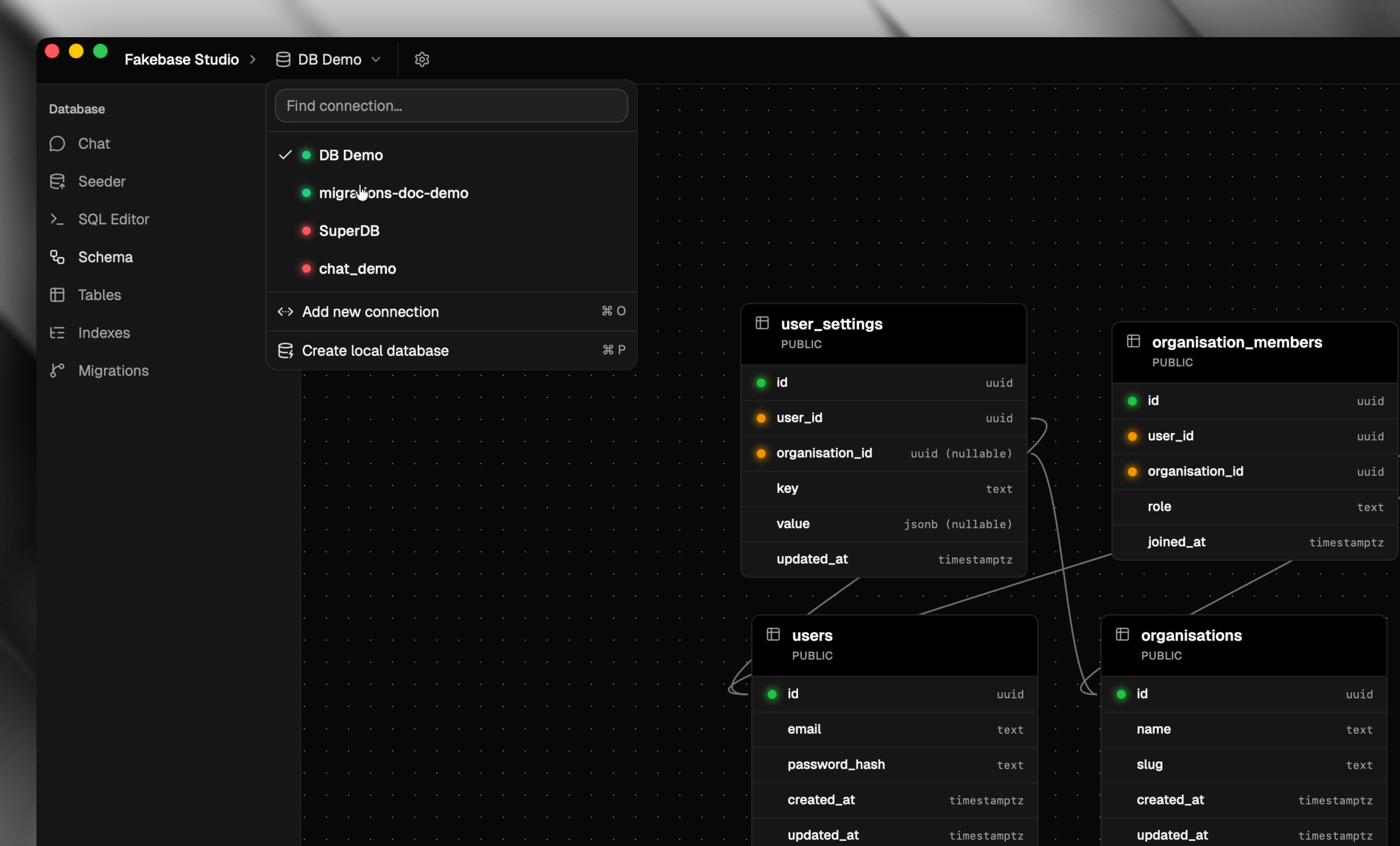
Switch database
Open the connection picker in the studio header. Choose a saved local database or remote connection to make it active. Schema, tables, migrations, and seeding all use the database you have selected.
Rename or remove a connection
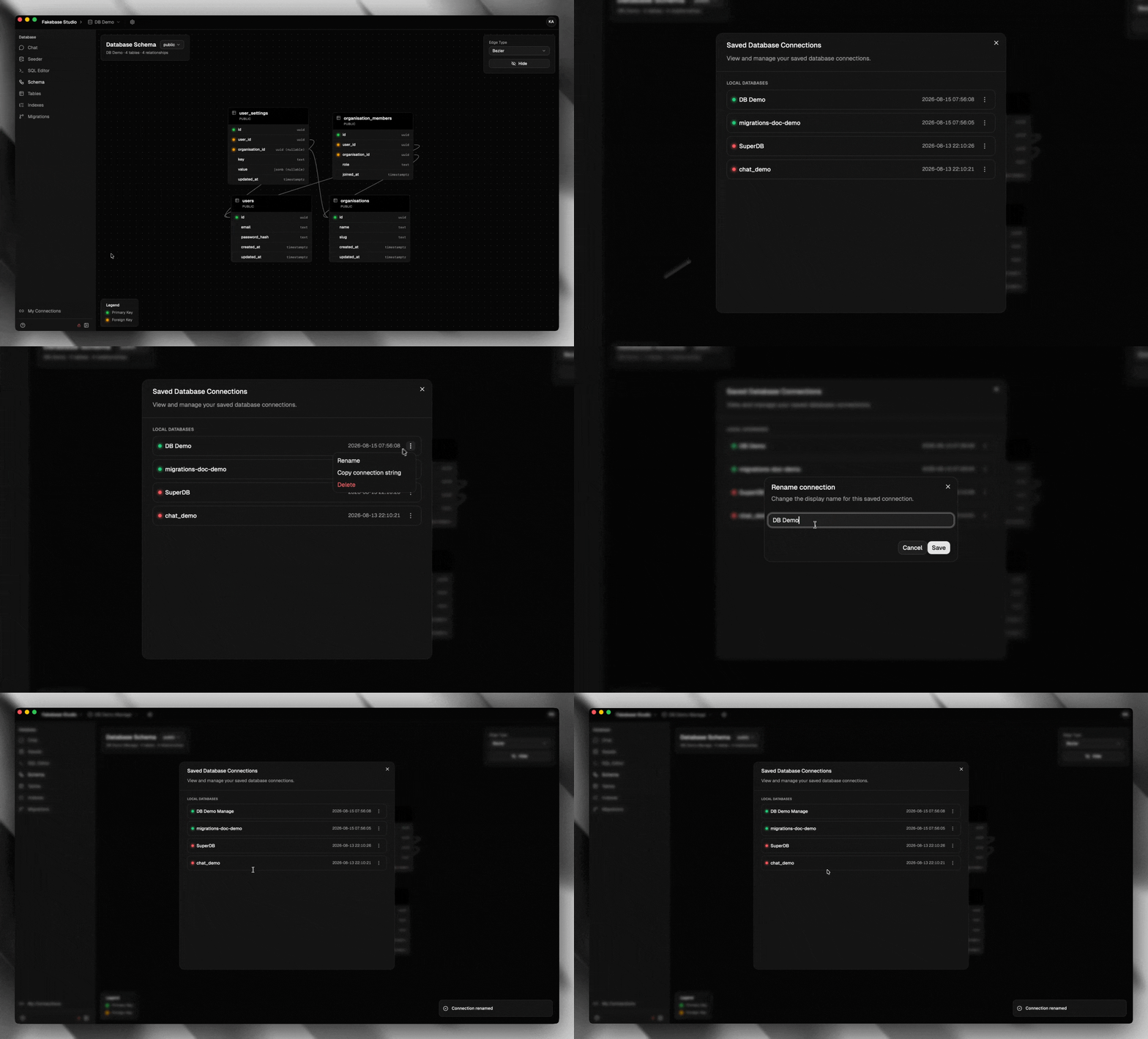
Open Manage connections from the header picker to see local databases and remote connections in one list.
- Rename — change the display name without affecting the underlying Postgres instance.
- Copy connection string — copy the URL for a saved connection.
- Delete — remove the saved connection from Fakebase. This does not drop a remote database. For a local Docker database, deleting the connection removes it from the app; use Burn database if you also want to wipe the instance.
Burn database
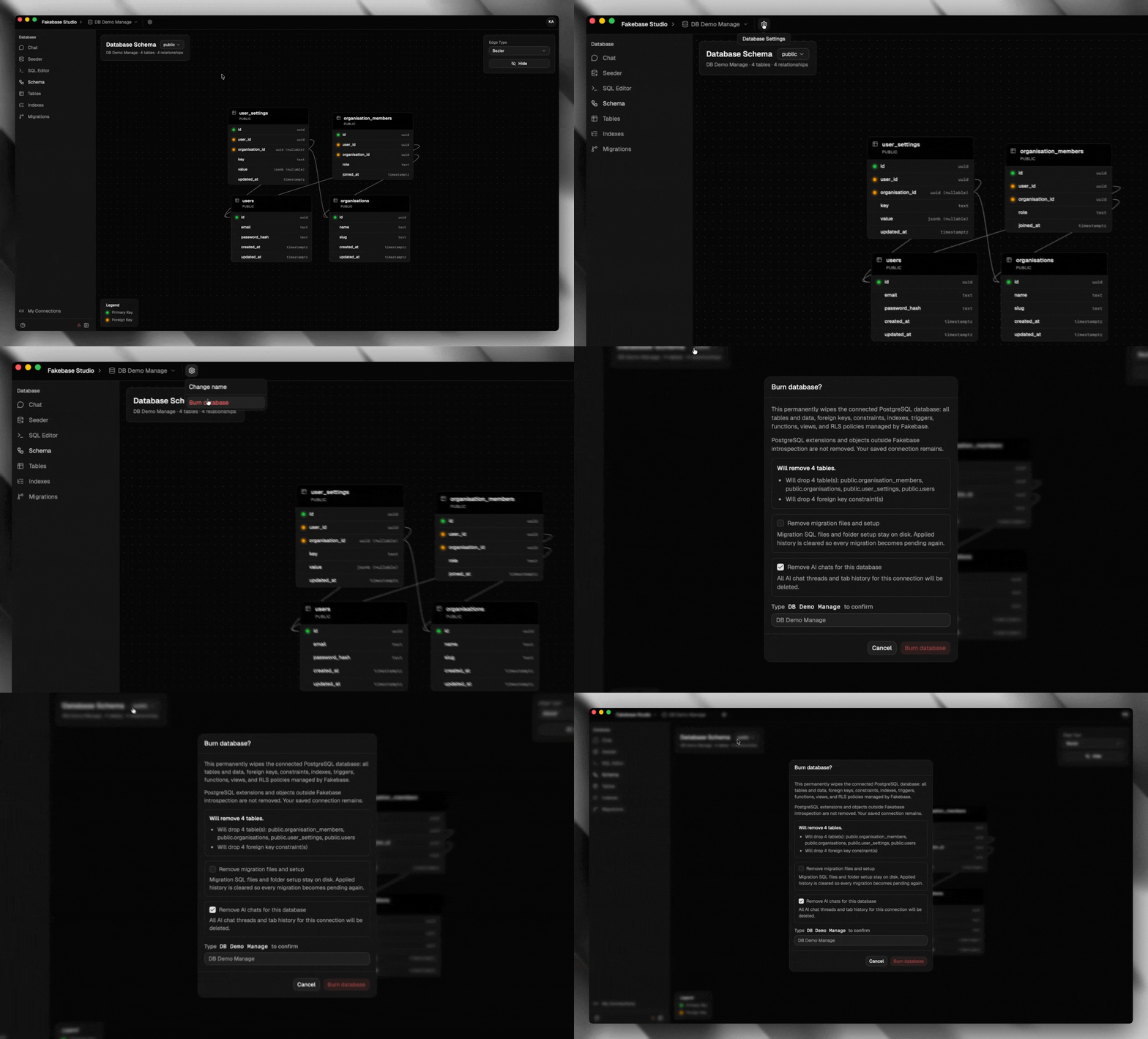
When you rapidly just to get re-booted you can burn your database. Burn clears the schema and data on the database you have selected. The saved connection stays, so you can keep working against the same host after the wipe.
- Open Database Settings next to the connection picker in the header.
- Choose Burn database.
- Review the preview of tables, views, and other objects Fakebase will remove.
- Optionally keep or remove migration files, and keep or remove AI chats for this database.
- Type the database name to confirm, then burn.
What burn removes: tables and data, foreign keys, constraints, indexes, triggers, functions, views, and RLS policies that Fakebase manages.
What burn leaves: your saved connection, PostgreSQL extensions, and objects outside Fakebase introspection. If you keep migration files, they stay on disk and every migration becomes pending again so you can replay them on the empty database.