Agentic Studio
Chat
Manage your entire database with natural language.
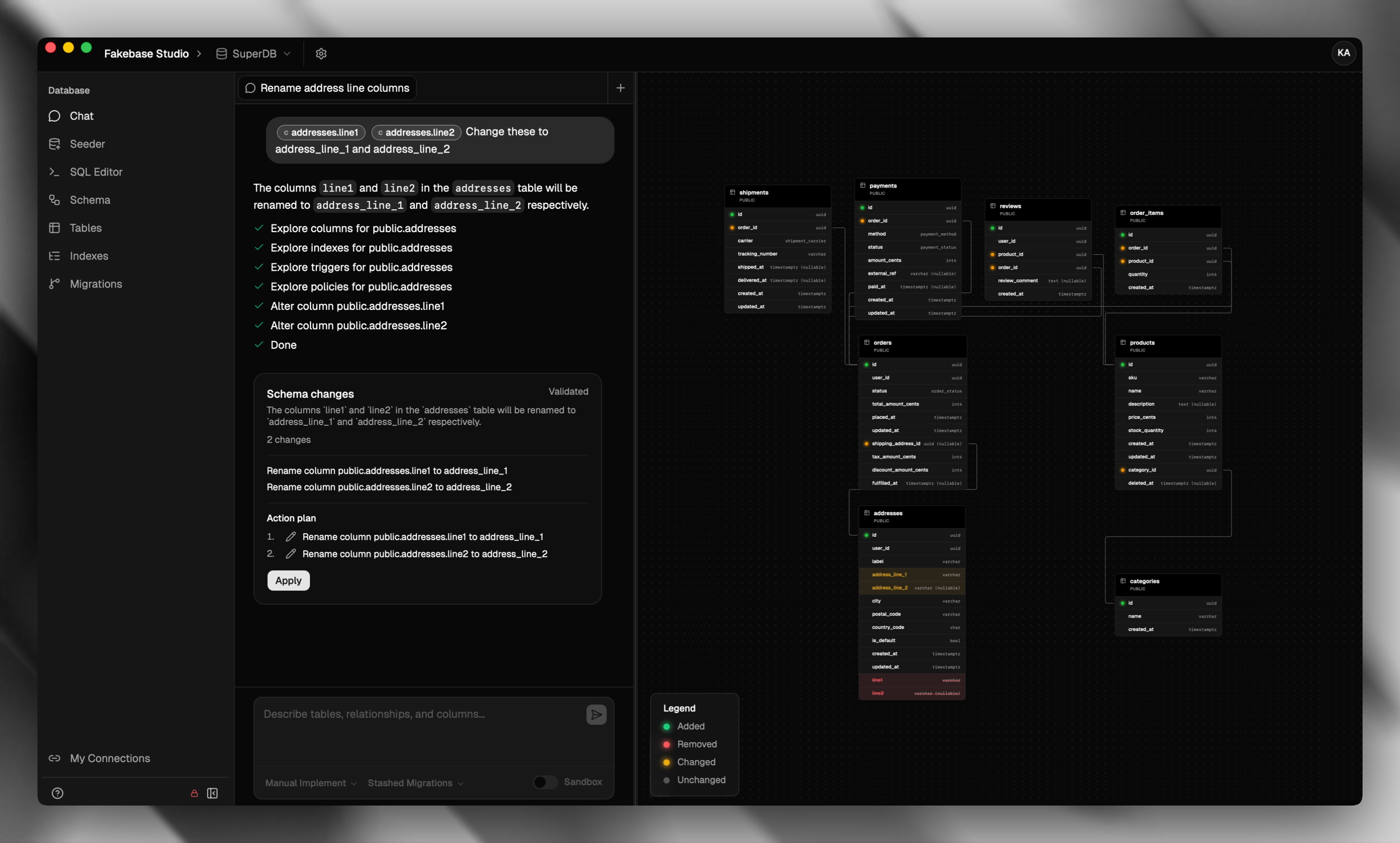
Open Chat in the sidebar and talk to the agent in plain language. Chat is the main AI surface in Fakebase — the place you design, inspect, and evolve the database without leaving the conversation. As Fakebase grows, more of the studio lands in the agent's toolbox so you can keep working from chat.
Describe what you want. Review the proposal. Apply when it looks right. Use @ to point at a table or column you already have.
Use cases
- Set up a draft schema — Describe the product you are building. The agent sketches tables, columns, and relationships you can review before anything is written.
- Add a related table — Ask for a new table that belongs next to one you already have. The agent can wire the foreign key for you.
- Migrate a table — Rename a table, split it, or reshape columns. Chat proposes the change and can write a migration when you apply.
- Tighten a column — Change a type, default, or constraint when the data model needs to catch up with the product.
- Explore what you have — Ask what tables exist, how they connect, or where an index or policy already lives.
- Preview before you apply — Turn on Sandbox to see the plan without touching the live database, then apply when you are ready.
You stay in control: Manual Implement waits for your review, Auto Implement applies as you go. The agent will not change the auth schema or the _fakebase_migrations table.
Chat and migrations
When migrations are set up, Chat can write SQL files as it applies schema changes:
- Stashed Migrations — applies to the database and appends to one pending file. Finish it on Migrations with Save as migration.
- Separate Migrations — writes a new file per apply and marks it Applied.
- No migrations — applies straight to the database. This option hides once a folder is linked.
If you pick Stashed or Separate before a folder is linked, Fakebase opens Set up migrations. Sandbox lets you preview first; Apply to database writes for real and can create the matching migration.